
Learn to manage your subscriptions here.
- Click BizOwner name to display pop-up, then click “BIZMOD PROFILE”.

2. Click “Subscriptions”.
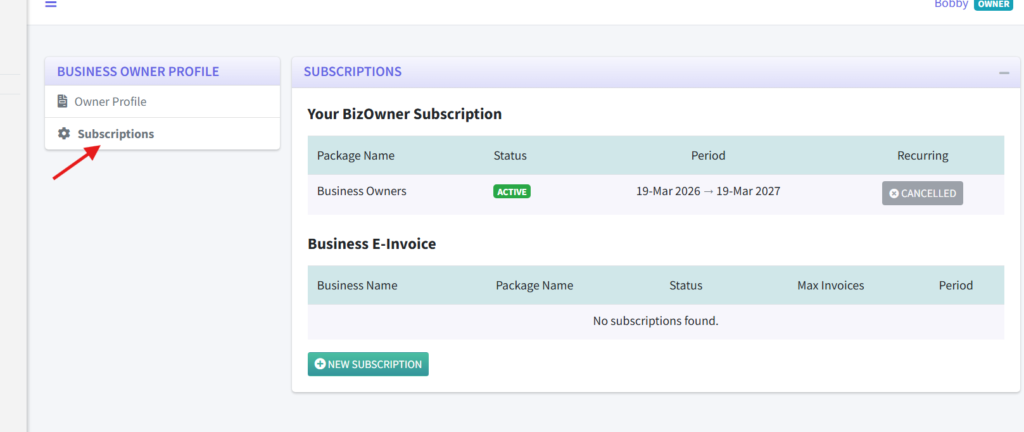
3. You can add new E-INVOICE subscriptions by clicking the “new subscription” button.
Learn to manage your subscriptions here.
2. Click “Subscriptions”.
3. You can add new E-INVOICE subscriptions by clicking the “new subscription” button.