This process is to be completed by the owner of the new company. The owner should’ve received the link from their intended Cosec.
For our user, please share the link provided by ACE to the prospective owner or link from your website. When the link is opened, the incorporation form is displayed. Below is the guide on how to complete it.
Page 1 – Propose the company name.
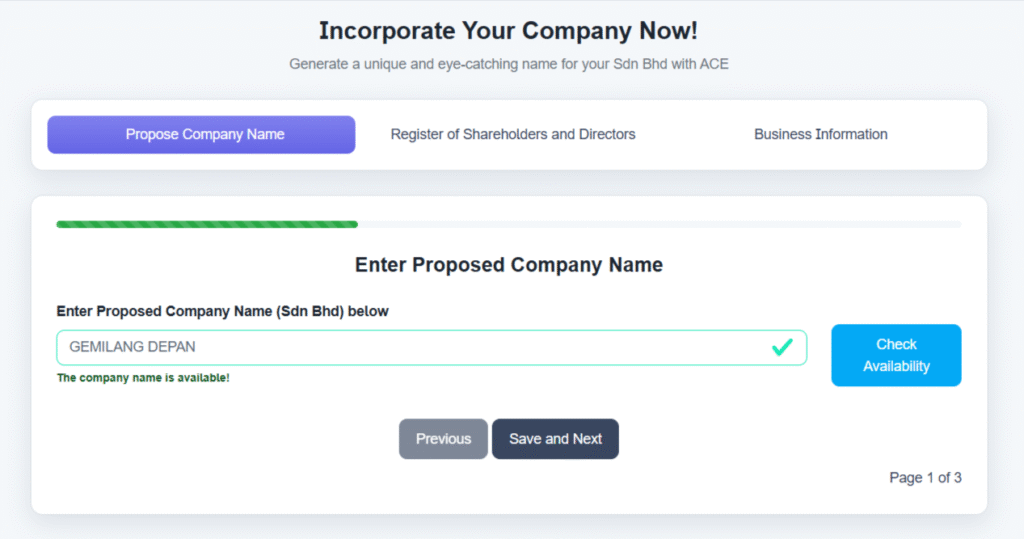
Enter the proposed company name by typing in without the SDN BHD. For example if the preferred name is GEMILANG DEPAN SDN. BHD. then please enter “GEMILANG DEPAN” in the field and click on “CHECK AVAILABILITY” button. Please ensure the name is spelled correctly as the checking is done on each letter accurately.
This checking is done against Suruhanjaya Syarikat Malaysia (SSM)’s database in realtime.
If the company is available however, you will see a message “The company name is available!” and you can click on the button “Save and Next”.
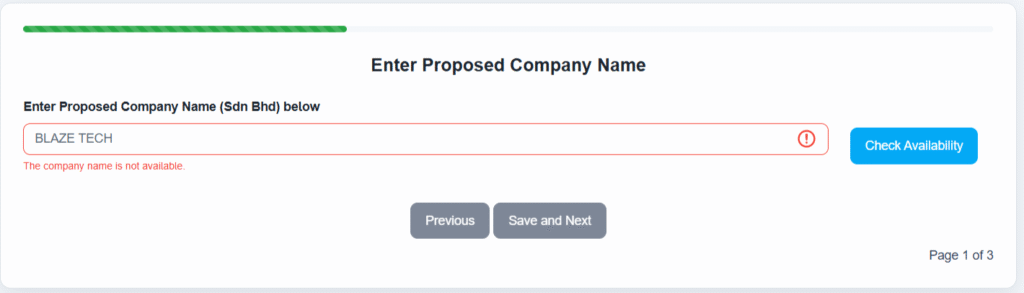
If the name is already taken up, you will see a message “The company name is not available” and you will not be able to proceed. You have to try with a different name and can only continue when you find an available name.
Page 2 – Directors and Shareholders Information
On this page, you can enter the information of a Shareholder and/or a Director. Click on the appropriate button on top. If this person is both a Shareholder and a Director, click on both checkboxes.
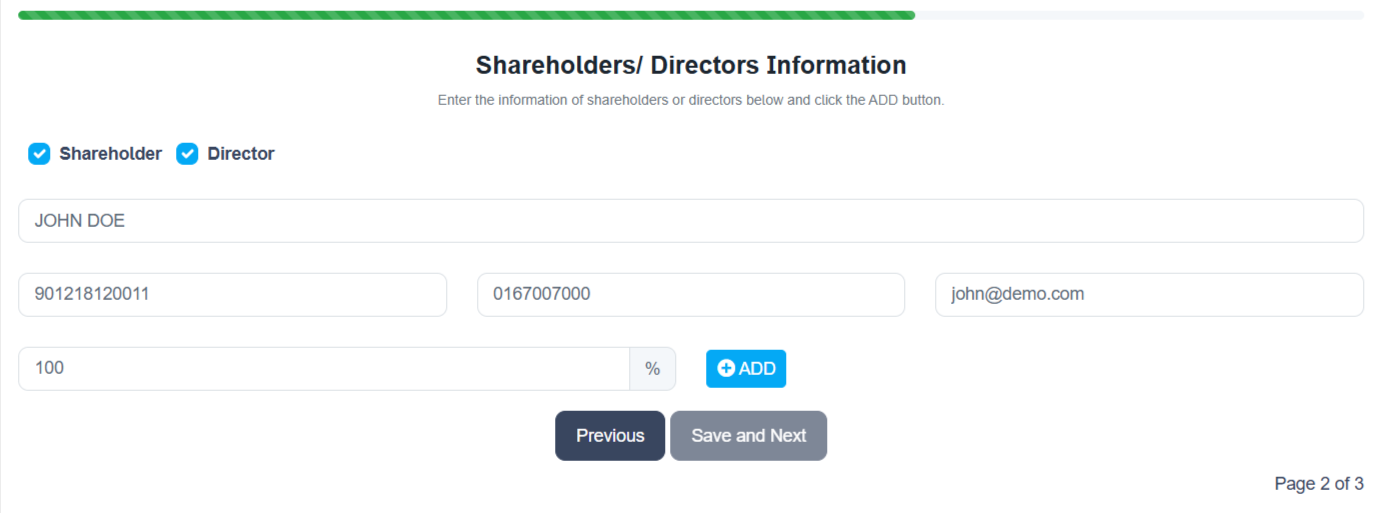
Enter the name as per MyKad or Company Name (if the shareholder is a company), followed by Identification No. (Company No.), Contact Number and Email. All fields are required.
If the Shareholders box is checked, an extra field is displayed which is the percentage of the shares owned by this individual. Refer to the image below.
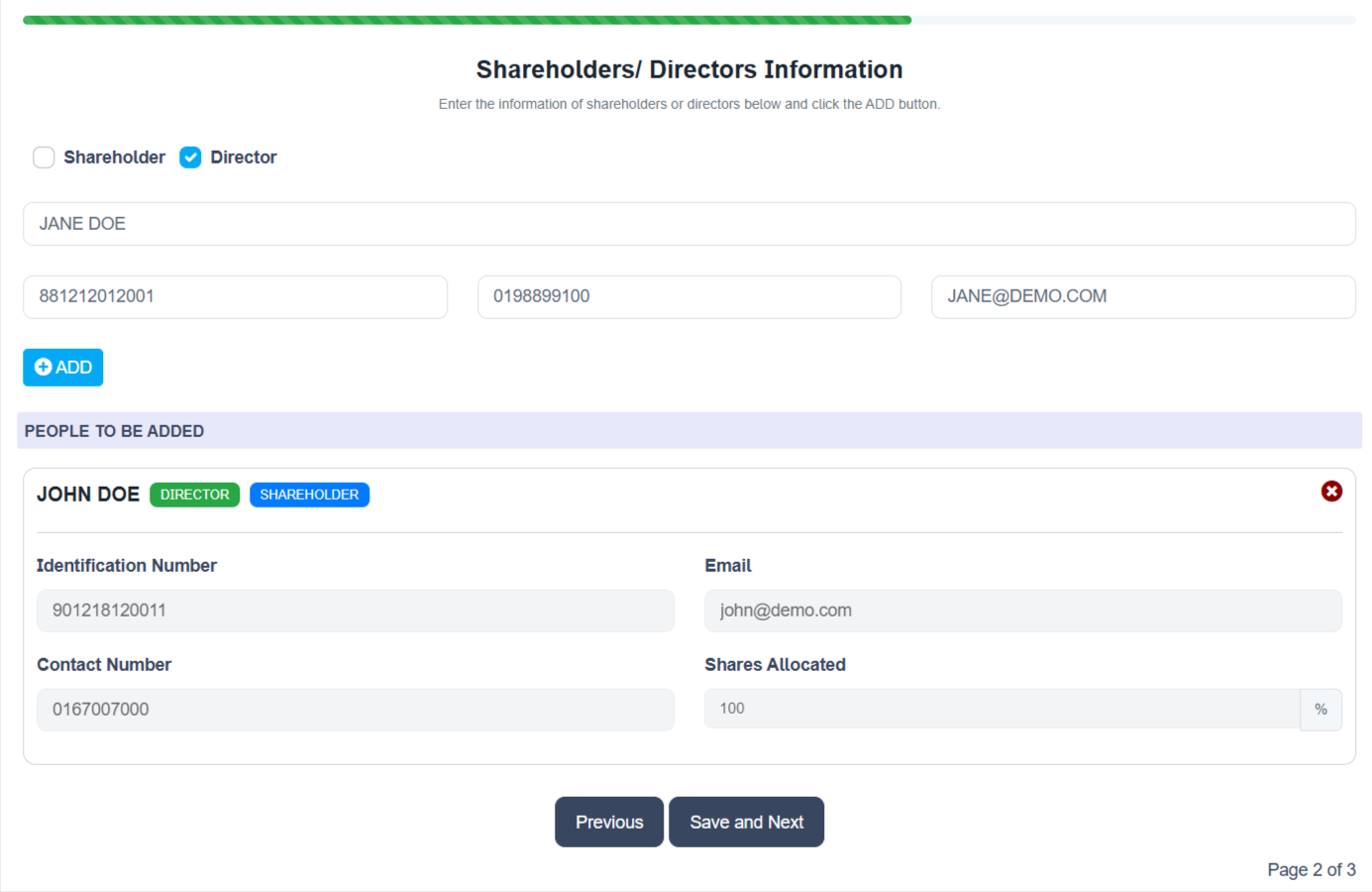
When all the fields are completed, click on the “ADD” button.
You can now add another person’s details and fill up the fields just like before. Click on the “ADD” button to add the name below.
You cannot proceed from this form until at least 1 Director is added AND total shares is 100%.
When the above conditions are met, the button “Save and Next” is enabled and you can proceed to the next screen.
Page 3 – Business Information
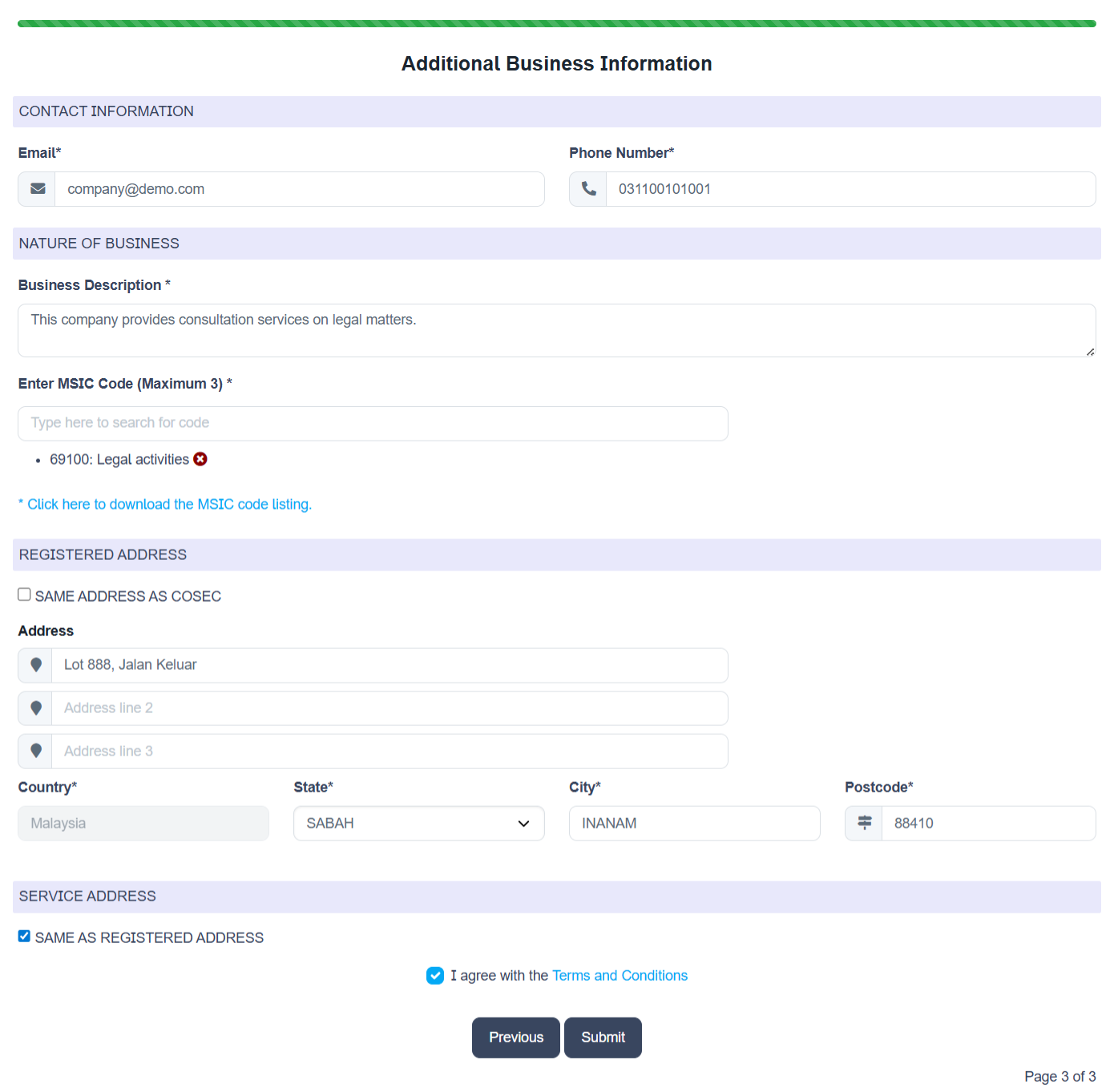
Complete the form on this page, filling up all the fields;
Contact Information
- Email = Business email address. In case the business does not have an email yet, just use the owner’s email for now.
- Phone number = Business phone number. Use owner’s phone if not available yet.
Nature of Business
- Business Description = Enter the business description.
- MSIC Code = Enter the primary MSIC code for this business. You can either type the code if you know it (based on the SSM standard MSIC code) or you can also type a word and then pick from one of the suggested codes. You can enter up to 3 codes.
Registered Address
If the address is the same as Cosec, click on the button “SAME ADDRESS AS COSEC”. Your intended Cosec will then use their address as the company’s address and you don’t have to fill up this section.
- Address = Enter the first line of the registered address of the business. Line 2 and 3 are optional.
- Country = Fixed to Malaysia.
- State = Select the state.
- City = Type in your city.
- Postcode = Type in your postcode.
Service Address
If the service address is the same as the registered address above, click on the button “SAME AS REGISTERED ADDRESS” and you can skip this page. If you have another address as the service address, please enter the information.
- Address = Enter the first line of the registered address of the business. Line 2 and 3 are optional.
- Country = Fixed to Malaysia.
- State = Select the state.
- City = Type in your city.
- Postcode = Type in your postcode.
Agreement Checkbox
Click on the checkbox “I agree with the Terms and Condition” to agree with the T&C. You may click on the link to read on it. To submit, click on the button “SUBMIT”.

SUBMISSION
The intended Cosec Firm will now receive your submission and they will contact you as soon as possible.