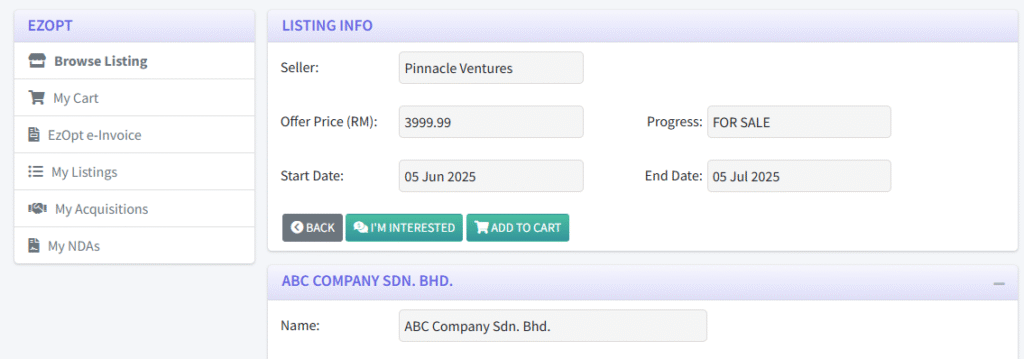
1. The EzOpt marketplace is readily accessible to a Firm by clicking the EZOPT tab from the navigation bar.

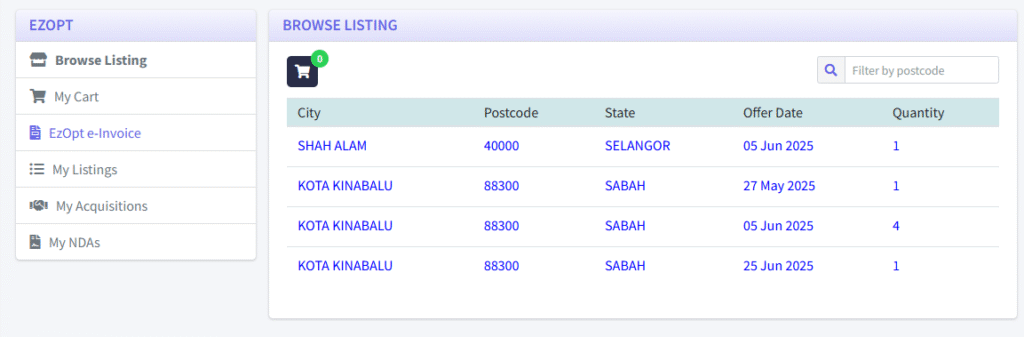
2. The marketplace shows a list of all the clients put up for sale, organised by City and Postcode. This helps the firms quickly identify potential clients within their preferred geographic areas.
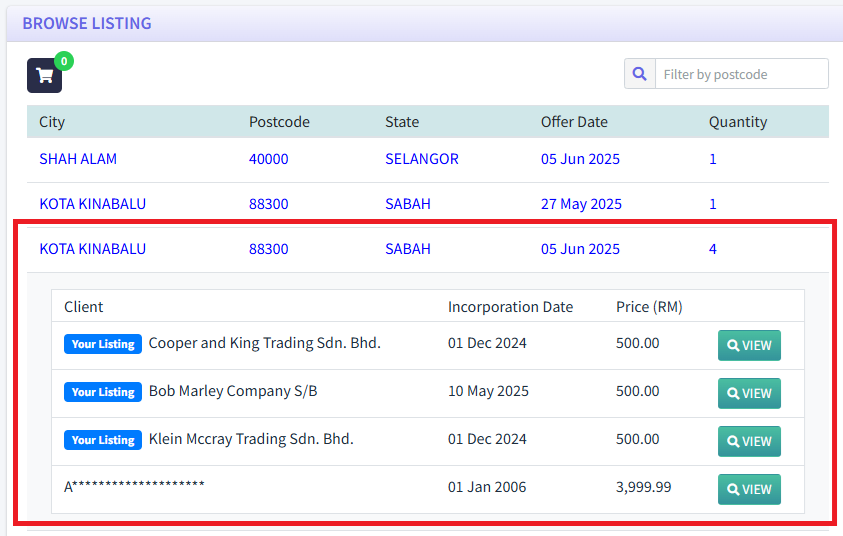
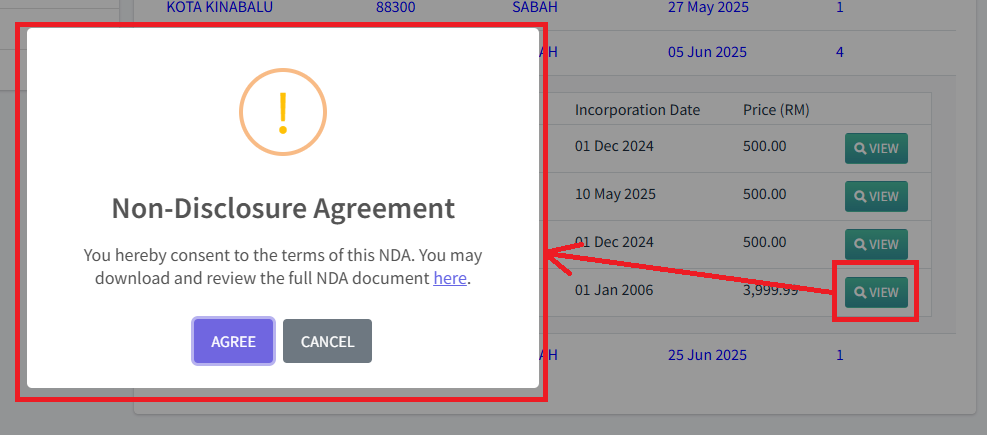
3. Clicking on a specific row reveals all the clients listed under that city and postcode. Then, the firm can view the details of any listed client by clicking “VIEW”. However, an NDA must first be signed between the prospective buyer firm and the selling firm This only needs to be done once and does not have to be signed again for future transactions.
4. After that, the listing information and client information are visible to the prospective buyer firm.