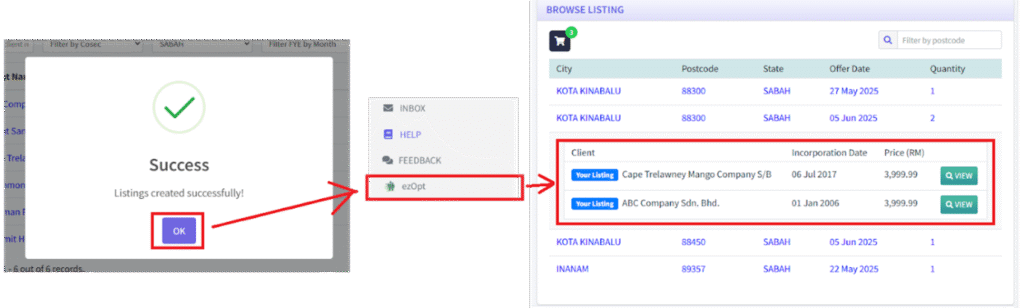
1. For a Firm to list multiple clients for sale on EzOpt marketplace, they first navigate to the Clients index.

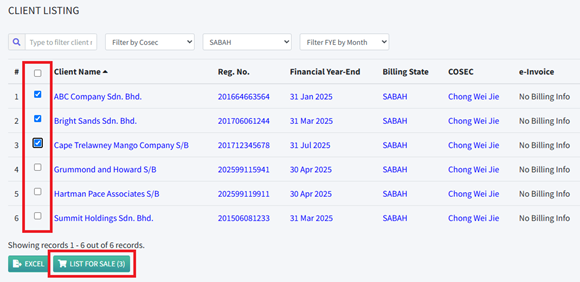
2. In the Clients index, the Firm selects clients to put for sale by checking the checkbox and clicking “LIST FOR SALE”.
3. The listing information is filled, including Offer Price per Client, Start Date and End Date. All clients listed in this way will have the same listing information.

4. After successful listing, the selling Firm can view the listing on EzOpt marketplace.