
For Business owner, they must have at least one business to use the e-Invoice service.
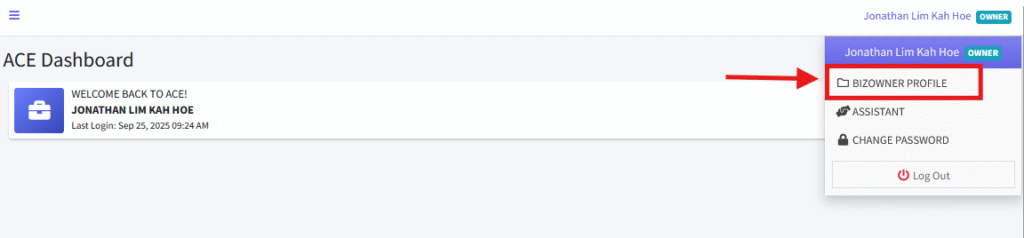
1. As a Business Owner, ensure that all required information is completed in the Owner Profile section. To do this, click on “BIZOWNER PROFILE” located in the top-right menu.
2. Click the “EDIT” button and make sure all information in the Owner Profile section is filled out completely.

3. After filling out all the information, click the “UPDATE” button to save your changes.

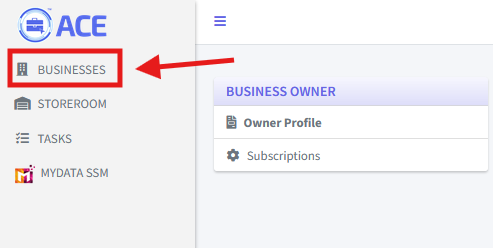
4. To subscribe to e-Invoice, navigate to the Business Listing by clicking the “BUSINESSES” menu on the left-hand side.
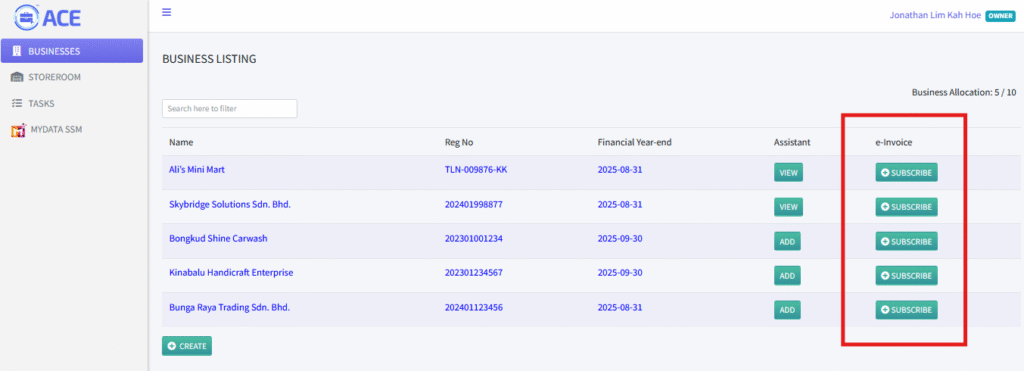
5. In the BUSINESS LISTING section, locate the “SUBSCRIBE” button under the e-Invoice column. Click the “SUBSCRIBE” button for the specific business you want to subscribe to e-Invoice.
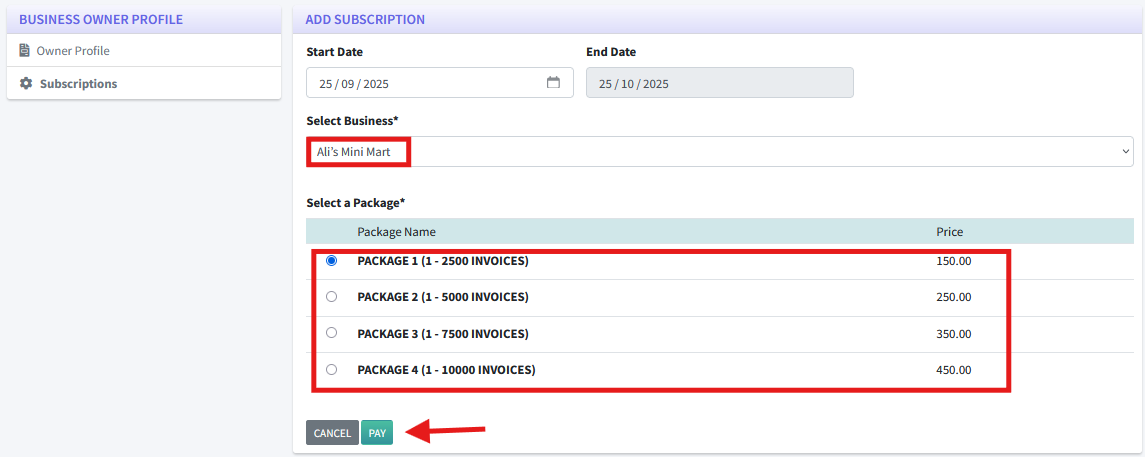
6. You will be redirected to a page displaying the name of the business you selected. Below the business name, you will see a list of available packages. Choose your desired package and click the “PAY” button to proceed with the subscription.
7. You will receive an email containing a payment link and the Subscription e-Invoice as an attachment. Click the “PAY NOW” button in the email to proceed to the payment page.
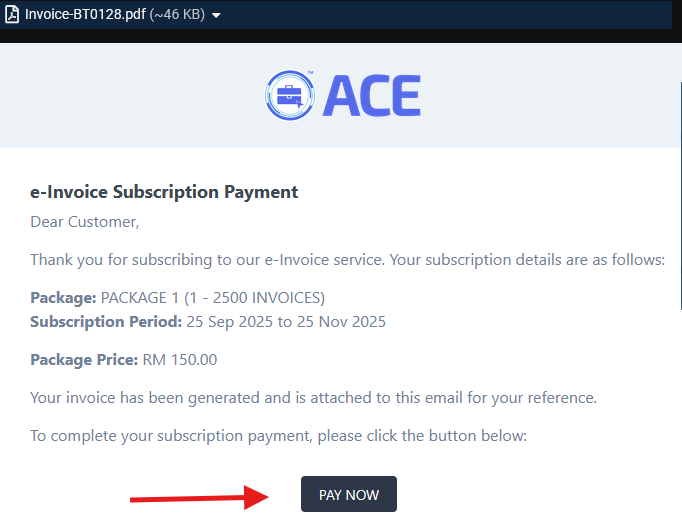
1-2 working days for whitelisting process before the owner can use the e-Invoice functionalities.
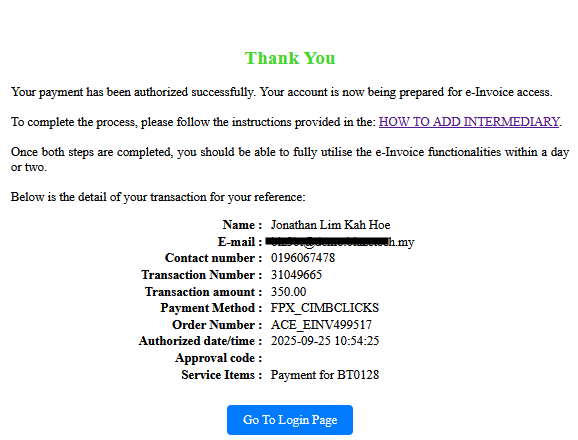
7. Click on the “HOW TO ADD INTERMEDIARY” link and follow the instruction given to complete the process.
**NOTE: Owners still can proceed issuing an invoice to the businesses without FIUU ACCOUNT.