
When you have purchased a package, the Firm can assign a Cosec to it.
- Click on the SUBSCRIPTION label on the menu
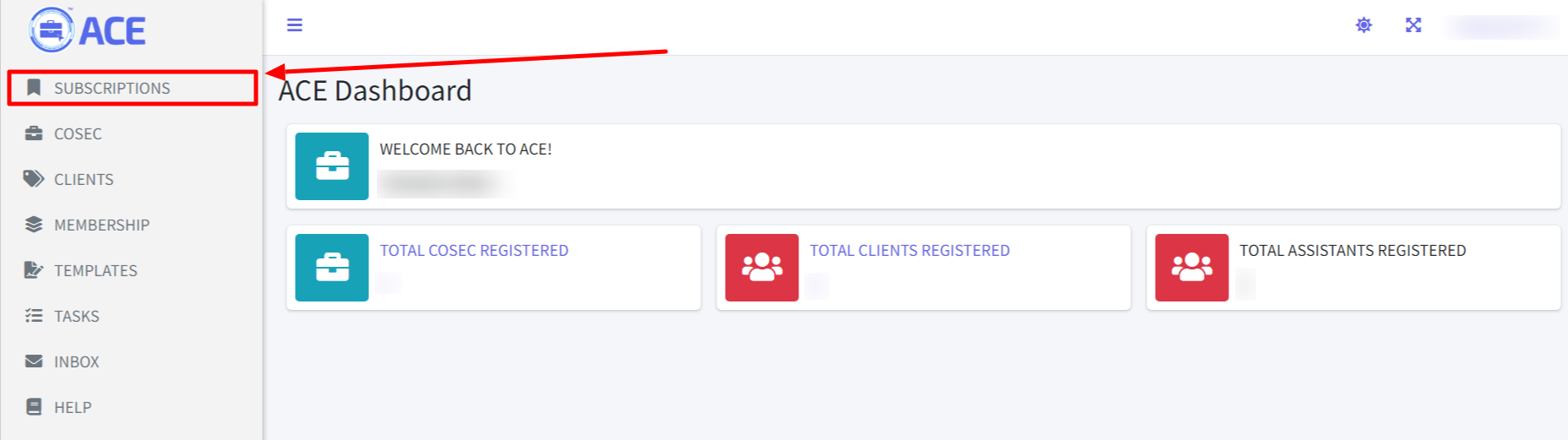
- A list of your purchased subscription is displayed. A plan with an available slot for a Cosec will have a button with the label “+ADD COSEC”. Click on it.

- On the next page, complete the form based on the following information;
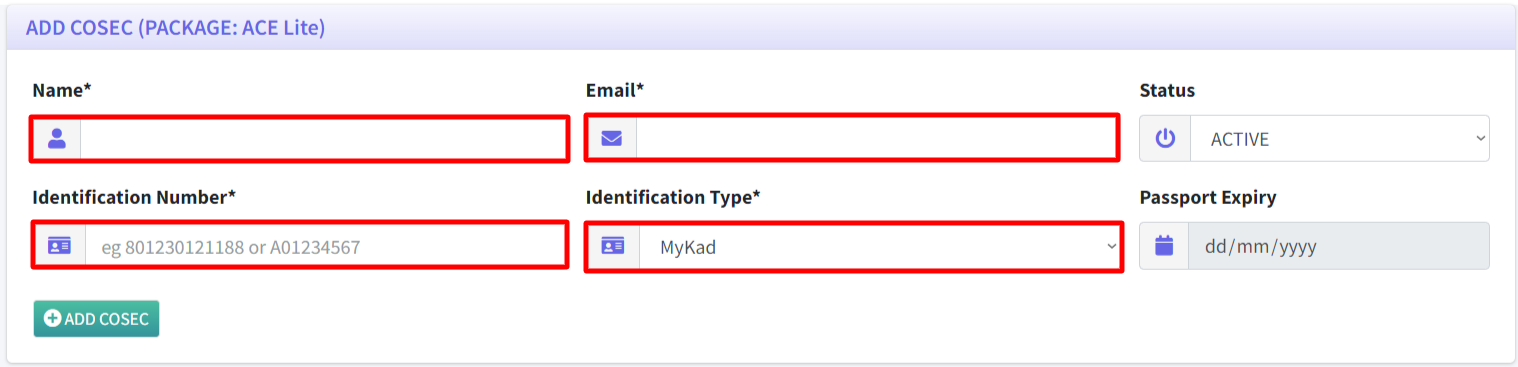
- Name: Name of your Cosec
- Email: Email address that will be used for login. This email is unique across the system. If the email exists in the system, please use another email address.
- Status: Active will allow Cosec to immediately login after setting up the password.
- Identification Number: Enter the identification number (either MyKad, Passport or others)
- Identification Type: Choose the correct identification type for the data entered in the previous field
- Passport Expiry: Enter the expiry date for the passport. This field is only enabled when Passport is selected in the Identification Type drop-down menu.
- Click on button “ADD COSEC”.

- An alert will popup informing that the user has been registered.
- Now the system will send an email to the Cosec to allow the person to set their password.