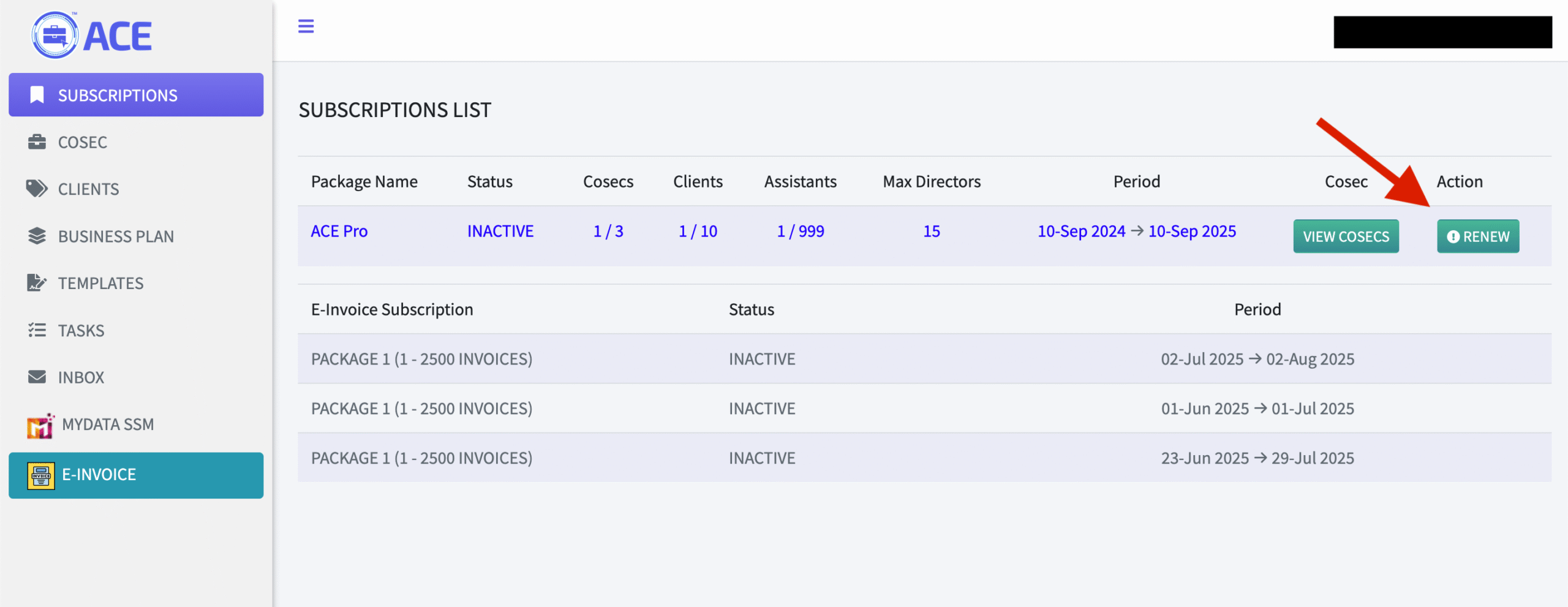
Click on the SUBSCRIPTION label on the menu. Once you’re in the Subscription menu, you will see a list of plans you have subscribed too and also a renew button once your subscription has expired.
After clicking on the RENEW button, a confirmation modal will be displayed and you will be given an option to enable recurring payment for your future renewals. To enable recurring, click on the circled checkbox. Then, please click on “Proceed with Renewal” button and you will be redirected to the payment page.