
All ACE users are required to complete their profile for a smooth transaction especially when your information is required in other sections.
The following explains how to complete your profile.
- Login to ACE portal
- Hover your mouse to your name on the top-right screen and a menu will appear.
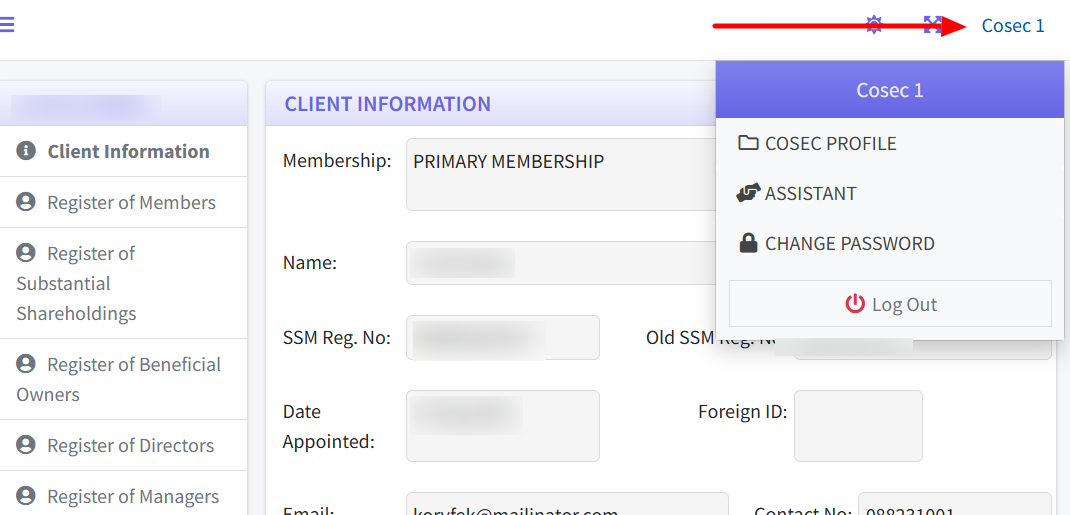
- Click on the first link; “Firm Profile” if you have logged in as a Firm. If you are a Cosec then the links will be “Cosec Profile” and so forth.
- The page will now display your details. Scroll down to the bottom of the screen and click on the button “EDIT”.
- A form with all of your details appear. Please complete as much as you can. The email fields cannot be modified.
- To submit the updated details, click on “UPDATE DETAILS” button.
- If all required fields have been filled, then the page will return to the Profile page.
That is how to update your profile.