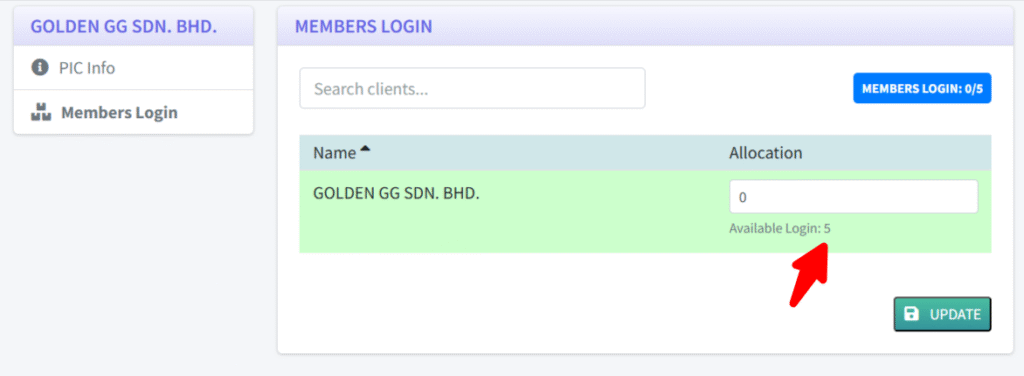
After the Members login slot add-on has been purchased by the firm, the Firm can now select which clients under their subscription that should be able to use this slots. Follow the instructions below to assign it to a client.
Assigning Slots to the Client
- Login as Firm
- Go to client listing and select one
- In the client submenu, click on Members Login.
- Enter the number of logins to be given to this client. The available login is shown below the field (red arrow
- You can only enter the maximum number as shown.
- Click the “UPDATE” to save it.
- Now the Cosec for that client can choose which Shareholder can use the slot to login.
After the Firm user has completed the above steps, inform the Cosec that is managing the client to select which member is able to login. Please refer to the next article on how the Cosec can do this.