When a Cosec creates an assistant, the assistant will not be able to access all of the Cosec’s clients. Instead the Cosec will need to assign the clients that the assistant can manage.
- Login as a Cosec.
- Go to the CLIENTS listing.
- In the Clients list table, click on the button label “ADD” under the column “ASSISTANT” for any of the client.
- A window will appear, showing a list of Assistants that have been registered under the current Cosec account.
- Select any one of the Assistant that you want to give permission to manage the client. You can only select one Assistant for a client.
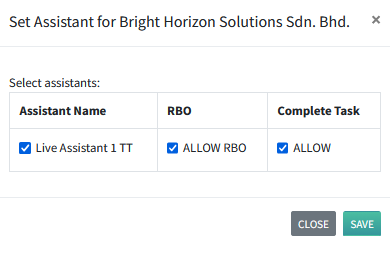
- By default, when an Assistant is assigned to a client, they will not have access to the Register of Beneficial Owners (RBO). To give this Assistant access to the RBO, click on the checkbox labelled “ALLOW RBO”.
- To activate this assignment, click on “ASSIGN”.
- A successful message will be displayed, and you will be taken back to the Client listing table.
- You will notice that your assistant’s name is listed at the end of the row for the client.
- You also notice the Complete Task checkbox. If you click on the “ALLOW” checkbox, the assistant will be able to mark the client’s task as complete. Otherwise, it will not visible for the assistant.
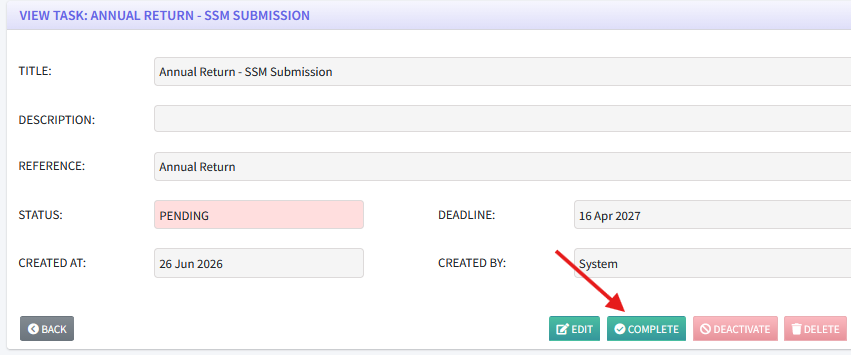
If assistant is allowed to Complete Task, they will see this button.