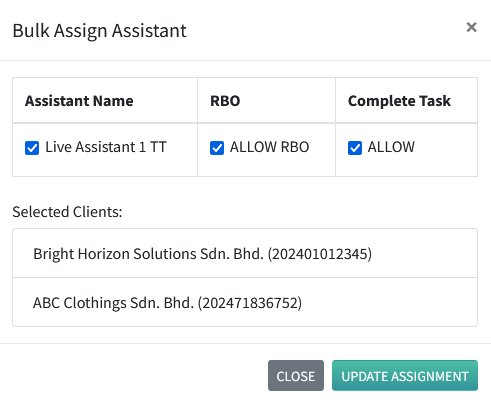
This feature allows you to assign multiple clients to a single assistant, enabling the assistant to manage and access all assigned clients from one account.
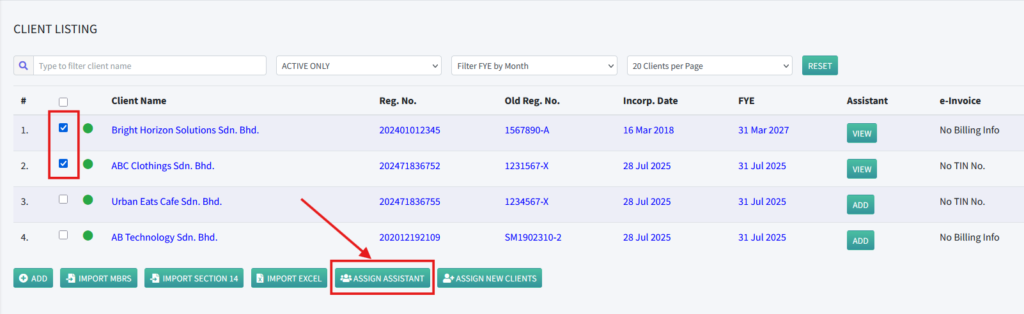
- Log in as a COSEC user and navigate to the Client Listing page. Select the checkbox next to each client you want to assign to an assistant, then click Assign Assistant to begin the assignment process.
2. Similar to assigning a single client using the Add button, the Bulk Assign Assistant feature displays a list of the selected clients in a pop-up window. Please note that if you enable RBO or Complete Task during the bulk assignment, the selected permission will be applied to all selected clients.