
The steps on this page on editing templates are for Cosec login.
- Login as Cosec
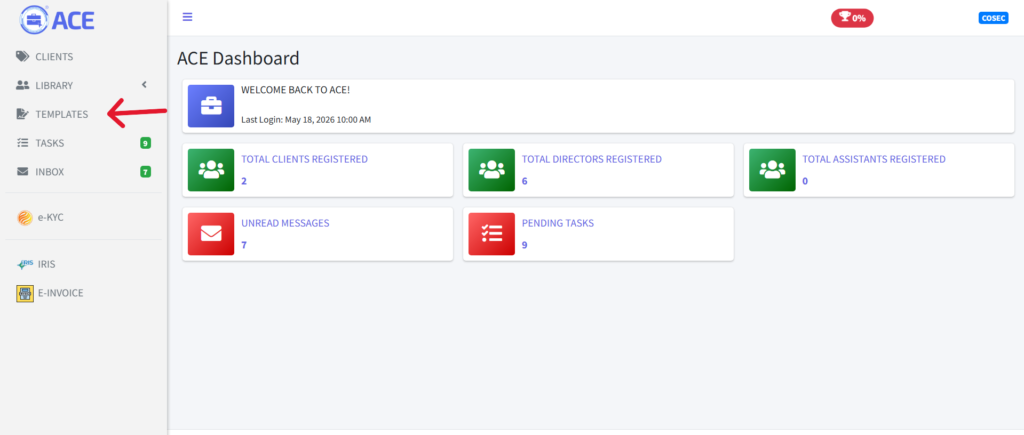
- Navigate to templates section
- Choose a template
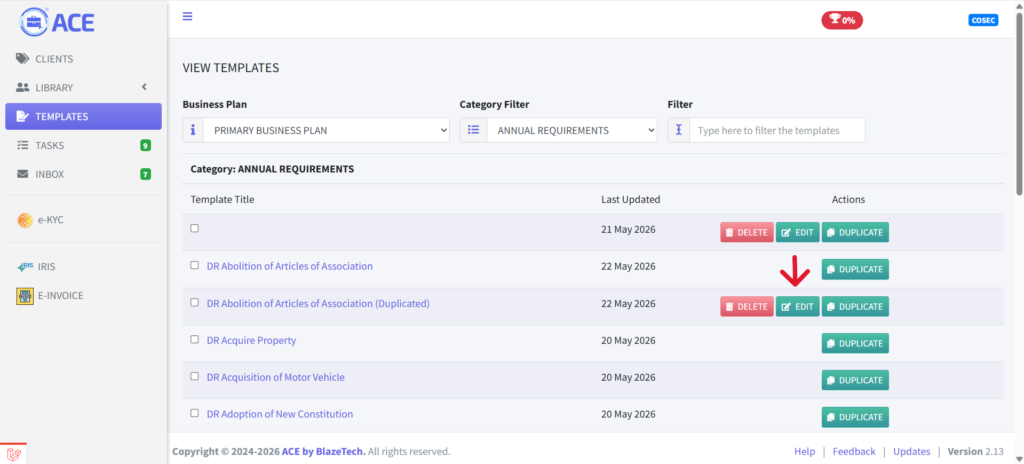
- As a Cosec, the templates shown here are master templates shared by the firm account. To customise a template, you need to own a copy of it. Click the ‘DUPLICATE’ button on any row to create your own version of the template. Once duplicated, you become the owner and can edit or delete it. Other Cosecs in the same firm will not be able to see it, but your assistants will still have access.

- Now click “EDIT” on the template that you want to modify.
- Next screen is the Preview section. Click “EDIT” at the bottom of the preview box.

- A new window will open and you can start to edit the template using our editor. You can close the previous window and focus on this window to continue your work. Read more about our Editor here.

- Once you are done editing, click on the save icon to save your work.

- Click on the “Back” button to return to the template listing.